Look Outside Mods: Plugins, Co-Op, and Install Tips
Explore Look Outside mods for tooltips, co-op, companion levels, and visual tweaks. Learn how plugins differ from file replacements before installing.
Jump to
What Can You Change With Mods?
Look Outside mods let you add clearer tooltips, adjust companion levels, change combat abilities, and explore the apartment building with friends. Those changes matter when you want more information during a dangerous expedition or a different experience on another run. Before installing anything, distinguish between a plugin that keeps its changes separate and a replacement that overwrites game data.
The available options range from small interface additions to substantial gameplay changes:
- Interface: Item and skill tooltips, visible danger information, and separate name-mode toggles.
- Convenience: Batch crafting, bulk trades, and adjustments to newly recruited companions.
- Combat: Weapon reworks, additional skills, and character buffs.
- Presentation: Brightness controls, spider appearance changes, sound replacements, and fan translations.
- Multiplayer: A co-op modification supporting up to four players.
Choose changes individually. Revealing recipes, removing enemies, and altering companion levels each affect a different part of the survival loop.
Official page: Look Outside (store.steampowered.com)
Interface and Quality-of-Life Plugins
Look At Tooltips
Look At Tooltips adds descriptions for items, equipment, weapons, skills, and states in both menus and battles. It operates without editing the game's data files.
Start here if you want more information while choosing equipment or planning a turn. Its scope covers both preparation at home and decisions during combat.
DangerDanger
DangerDanger places danger information at the top of the screen. It does not replace game files and works with existing saves.
A separate modification displays the Danger Meter inside the menu. Choose the display location you prefer rather than assuming every danger-related download provides the same interface.
QoL Bundle
QoL Bundle includes:
- Skip Intro
- Batch Crafting
- All Recipes
- Coin Stacks
- Bulk Trades
- No Tutorials
Read through the included features before installing. Batch crafting changes how you handle repeated tasks, while All Recipes also changes how you discover crafting possibilities. Decide whether you want both kinds of changes in your run.
WhatsInAName
WhatsInAName separates name modes into options you can toggle individually. It works with existing saves and does not replace game files.
Its feature is control over name modes. Do not confuse that with a general character-renaming tool.
Companion Levels, Weapons, and Combat Changes
These modifications alter party strength, equipment behavior, or rewards. Keep their effects in mind when choosing between preserving the game's balance and experimenting with a different build.
LevelSync
LevelSync raises a companion's level and EXP when they join your party, bringing them up to a configurable threshold relative to Sam. The default threshold is one level below Sam.
This affects recruitment rather than simply distributing more EXP after every battle. Adjust the level gap to control how closely new recruits match your protagonist.
Weapon Plugins
Several downloads focus on specific weapons:
- Reworked High-Caliber Assault Rifle: Increases attack, revises the weapon's text to acknowledge its bayonet, and adds melee skills for a mix of gun and melee attacks.
- Whisperblade has Cleave: Gives Whisperblade and all its variants the Cleave skill.
- Tyrfing: Adds a legendary Norse blade. This plugin does not replace game files and works with existing saves.
Check the weapon affected before installing a combat modification. A rework tied to one rifle serves a different purpose from adding another weapon to the game.
Character and Reward Changes
spider buff fixed changes Spider's attacks so they can critically hit and deal pure damage. It targets version 2.3 and uses a replacement skills.json file placed in the game's data folder.
Reckless Teddy and More adds Reckless Attack to Fuzzy, allowing it to take damage in battle, alongside other character, equipment, and skill changes.
Killing Fred drops rewards makes each Frederic portrait drop its quest reward when killed. That changes the rewards attached to those encounters, so consider it a gameplay modification rather than an interface improvement.
Visual Controls, Accessibility, and Translations
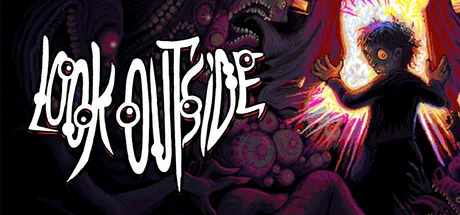 Image: Steam / Francis Coulombe
Visual Tweak
Visual Tweak adds four presentation controls:
- Brightness
- Gamma
- Contrast
- Saturation
It uses JavaScript without editing game data. Adjust these controls individually so you can identify which change makes the image more comfortable to view.
Before adding a visual plugin, check the built-in options added through updates:
- Version 2.3, released April 15, 2026: Added an option to disable animated tile effects for performance and visual comfort.
- Version 1.7: Added an option to disable the clock's ticking.
- Version 1.04: Added a controller and keyboard configuration plugin.
Use those existing settings when they address the specific issue you want to change.
Spider Appearance and Shades
Farewell David - Arachnophobia Mod changes the appearance of particularly triggering spider characters. Its scope concerns selected character appearances; it does not remove every form of disturbing imagery from this body-horror RPG.
Optional Shades lets you disable Shades through the options menu. Consider that a change to encounters, since it affects whether those enemies appear.
Fan Translations and Sound Replacements
look outside-espanol v2.3 provides a fan translation into Spanish from Spain, covering dialogue, menus, items, abilities, enemies, and options.
German Translation - Deutsche Uebersetzung translates dialogue, items, abilities, and menus into German. These are fan-made language modifications; the Windows Steam version lists English as its supported language.
For a smaller audio change, joel devour is weird route jingle replaces Joel's Devour sound effect with the Weird Route jingle.
Playing With Multiplayer COOP
Multiplayer COOP adds co-op for up to four players, with each player controlling their own character in a shared world. Battles retain turn-based combat.
The base game is single-player, so multiplayer comes from this modification rather than a built-in co-op mode. Follow its own installation and connection instructions when setting up a session.
Handle co-op as a separate installation decision from a tooltip or brightness plugin. Check its requirements before adding other changes to the same setup.
How to Install Plugins and File Replacements
Installation depends on how the modification works. Follow the instructions attached to the exact download you choose.
Plugin Installation
Some plugins require an entry in plugins.js to load.
When installation requires editing plugins.js:
- Locate the game's
plugins.jsfile. - Follow the mod's installation instructions to add its required entry.
- Launch the game and check for the feature you installed.
For example, check for the added tooltips or danger display. For an autosave modification, follow its specific activation instructions rather than assuming copying the download enables it.
File-Replacement Installation
Replacement modifications overwrite an existing game file. The version 2.3 Spider modification, for example, installs its skills.json into the data folder.
Check filenames before combining replacements. If two downloads each supply their own complete skills.json, copying one over the other replaces that file rather than automatically combining their changes.
Updates and Troubleshooting
Plugins that keep their changes separate avoid the direct-overwrite problem associated with editing the game's original data. That separation does not make every plugin compatible with every future update.
Version 2.3 changed numerous skills, weapons, status effects, and enemy resistances. Match combat replacements to the version they target, especially when they replace an entire data file.
If a feature does not appear, check the installation instructions and the file you edited. A missing registration entry in plugins.js is a different problem from a plugin's settings being configured incorrectly.
Creating modifications through RPG Maker MZ also involves issues that ordinary plugin installation does not. Opening and saving the game through the editor can lead to missing-asset errors such as cannot find cursor.ogg. Installing an existing plugin and rebuilding the game as an editor project are separate workflows.
When reporting a problem, include the build number shown on the title screen, the modifications installed, and the exact error message. For a replacement-file issue, identify the filename you changed so troubleshooting starts with the affected part of the game.
Continue exploring
Look Outside Guide: Survival, Combat, and Early Tips
Use this Look Outside guide to plan supply runs, manage weapons, recruit allies, and understand version 2.3 changes before your trip through the building.
Look Outside Recipes: Crafting, Healing, and Supplies
Learn Look Outside recipes for healing items, explosives, and crafting materials. Find ingredient locations and plan what to make before your next trip.
Join the community
Official channels for news, updates and player help: